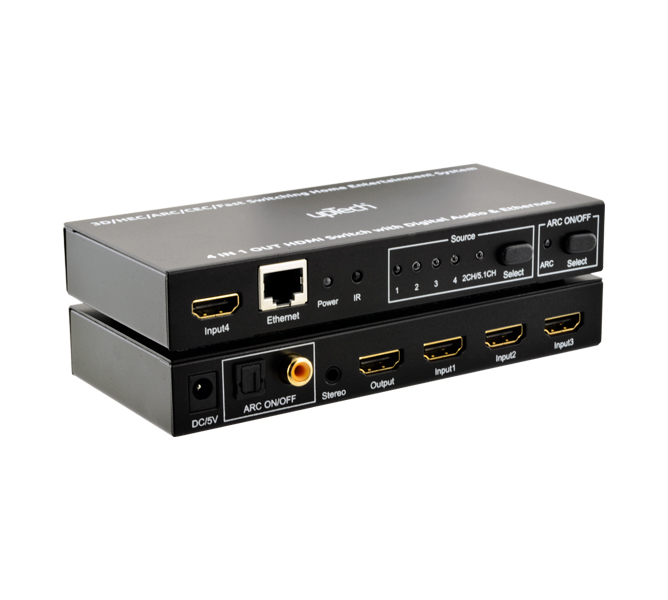
Brings five HDMI sources to one display and passes Ultra HD video through.
A five-input, single-output HDMI switch for setups with several source devices on one TV or monitor. It passes 4K×2K 60 Hz video at 18 Gbps of transmission bandwidth. The IR remote or the front panel button changes the source.
5HDMI inputs
1HDMI output
4K×2K @60HzMax. Resolution
18 GbpsTransmission bandwidth
HDCP 2.2Content protection
Key features
4K×2K60 Hz
Ultra HD passthrough
Sends the Ultra HD source straight to the display.
18Gbps
Transmission bandwidth
Carries high-resolution streams at 18 Gbps of bandwidth.
2.2HDCP
Protected content
Supports the HDCP 2.2 standard and delivers protected sources to the display.
HDRsupport
Wider color range
Passes the HDR signal from the source to the display unchanged.
IRremote
Source selection from a distance
The receiver on the front panel picks up the remote commands, and the panel button makes the same selection.
IN DAILY USENo more swapping cablesFive source devices share the single HDMI input on the display.
Setup stays plug and playThe device needs no extra configuration and detects the input signal automatically.
The remote is in the boxThe package holds the IR remote control, a power cable and the user manual.
ApplicationsTV and monitor connections·Multi-source setups
Disconnect the power before making connections, and keep the device away from moisture, high temperature and dust.